
Building AI Agents from Scratch (Part 2): Hand-Rolling a ReAct Agent in Pure Python Without Frameworks
Building AI Agents from Scratch (Part 2): Hand-Rolling a ReAct Agent in Pure Python Without Frameworks
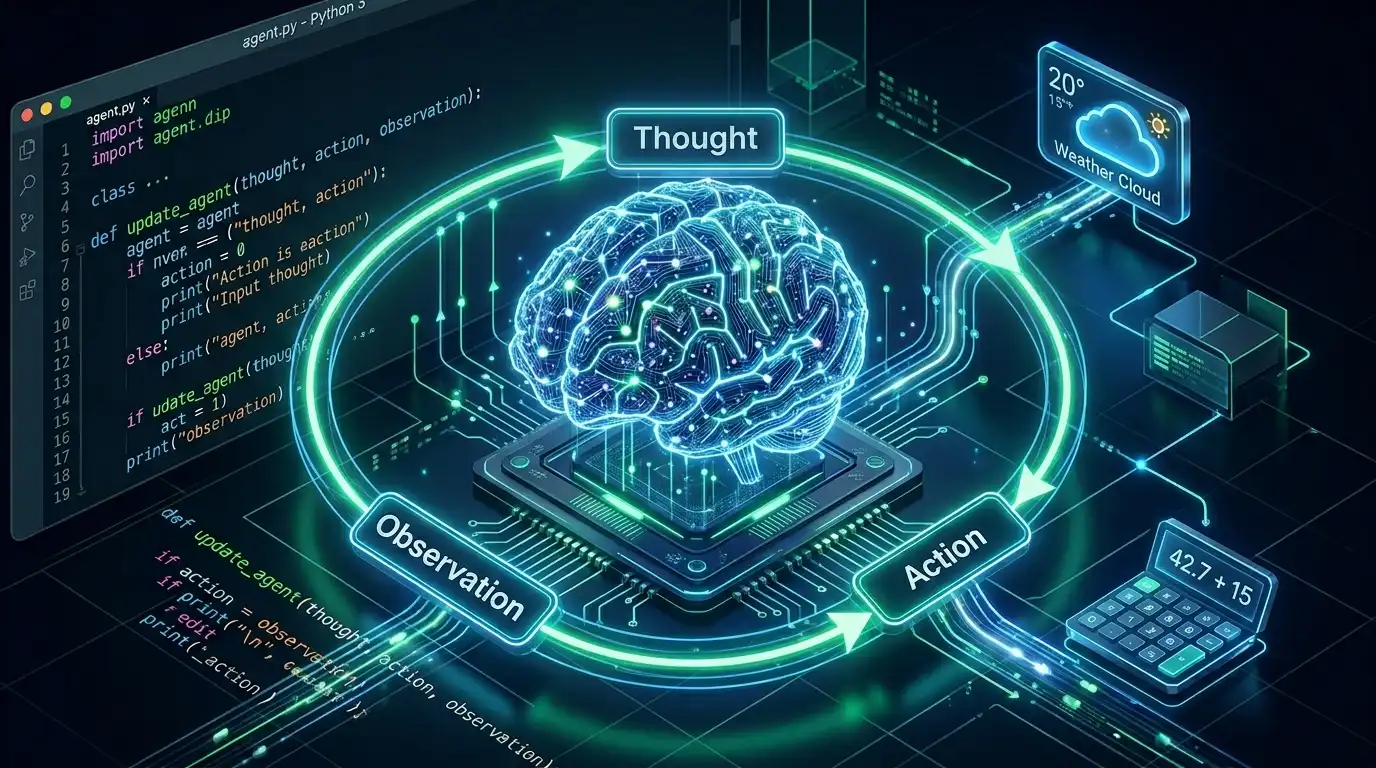
[TL;DR / Core Concept] What is the ReAct Pattern? ReAct (Reasoning and Acting) is a classic paradigm that equips Large Language Models (LLMs) with the ability to use external tools. By forcing the LLM to alternate between "Thought" and "Action," and incorporating "Observations" from the environment, it effectively solves complex, multi-step problems. The ReAct pattern is implemented entirely through carefully crafted prompt templates and parsing logic, not via any built-in LLM magic.
Welcome to Part 2 of the "Building AI Agents from Scratch" series. In our previous post, we explored the core loop of an Agent. Today, we are going to set aside popular frameworks like LangChain and CrewAI. Instead, we will use basic Python code to hand-roll a genuine ReAct Agent from scratch.
1. Why Not Start with a Framework?
With the proliferation of AI Agent frameworks, why do we advocate starting with a "No Framework" approach?
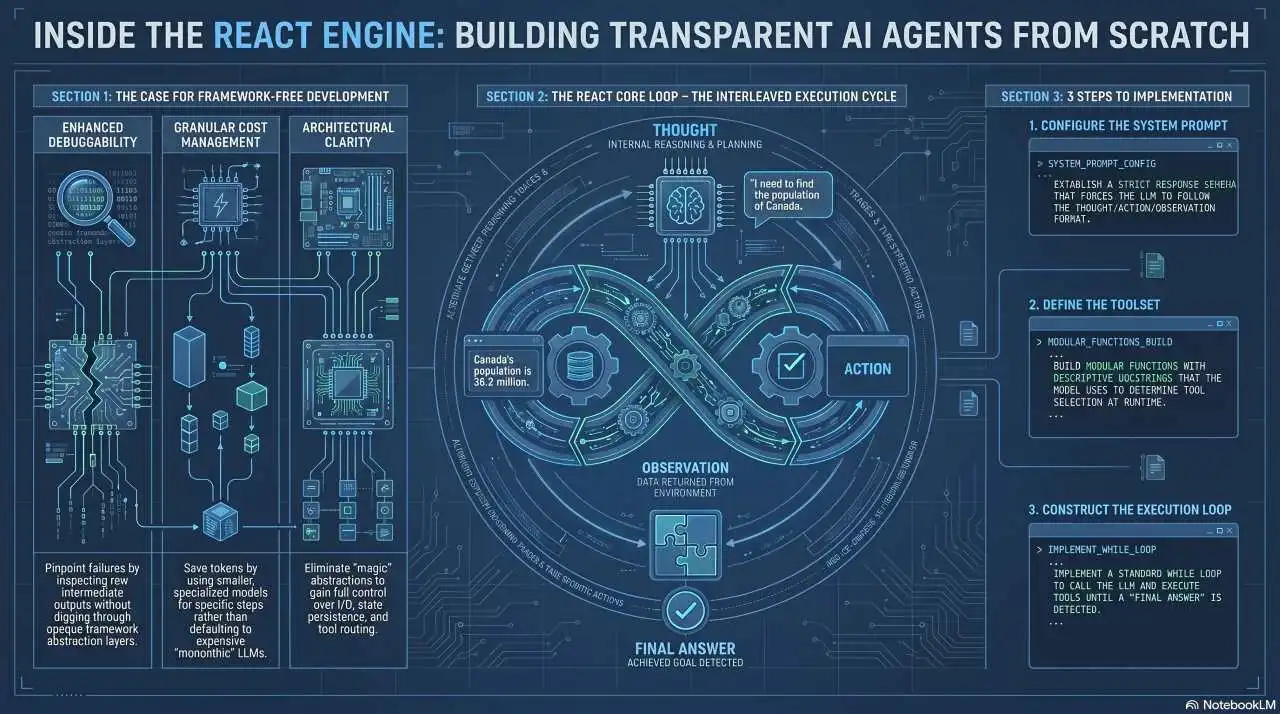
- Strip Away the Magic, Understand the I/O Logic: High-level frameworks (like CrewAI) encapsulate the ReAct paradigm but often hide the underlying logic. Relying on them directly means that when an agent falls into an infinite loop or fails to call a tool, you are left confused. Hand-coding reveals the exact input/output mechanisms.
- Ultimate Debuggability and Low Cost: Building without a framework means you know exactly which step failed and can inspect intermediate outputs. Furthermore, pure code avoids the bloated default contexts and expensive models forced by frameworks, making your agent faster and cheaper to run.
2. Demystifying ReAct: How LLMs "Think" and "Act"
The core of the ReAct pattern lies in a structured prompt loop. When humans solve problems, we typically "Think -> Take Action -> Observe Results -> Think Again". ReAct forces the LLM to follow this exact cognitive process.
In ReAct, we strictly constrain the LLM's output to the following format:
- Thought: The model expresses its internal reasoning process (e.g., "I need to calculate the sum").
- Action: The model decides which external tool to invoke (e.g.,
Calculator). - Action Input: The parameters passed to the tool, typically in strict JSON format.
- Observation: (Returned by our code) The feedback/result from the executed tool.
- Final Answer: The ultimate response provided to the user once sufficient information is gathered.
Through this structured self-talk, the model is no longer limited to its static training data; it can dynamically reach out to the internet, databases, or local functions for help.
3. Hands-on Practice: Building a ReAct Agent in Pure Python
We will build an agent equipped with "Calculator" and "Weather API" capabilities.
Step 1: Write the System Prompt This is the soul of the Agent. We use the prompt to force the LLM to adhere to the ReAct format.
SYSTEM_PROMPT = """
You are a helpful assistant. You have access to the following tools:
1. calculator: Execute a mathematical expression. Arguments: {"expression": "math_expression"}

You MUST strictly follow this format for your interactions:
Thought: Think about what you need to do
Action: The name of the tool to use
Action Input: The arguments for the tool in JSON format
Observation: The result from the tool (Do not generate this, the system will provide it)
... (Thought/Action/Action Input/Observation can repeat N times)
Thought: I now know the final answer
Final Answer: The final answer to the user's query
"""
Step 2: Define Atomic Tools We define tools as standard Python functions and use a dictionary for routing.
def calculator(args):
    # Simulate a calculator tool
    return str(eval(args.get("expression")))

# Tool routing map
tools_mapping = {
    "calculator": calculator
}
Step 3: Write the While Loop (The Agent Loop)
This is the core architecture: a continuously iterating control flow. Inside the loop, the model generates an action, we parse and execute it, append the Observation to the context, and repeat until the Final Answer is triggered.
def run_react_agent(query):
    messages = [{"role": "system", "content": SYSTEM_PROMPT},
                {"role": "user", "content": query}]

    while True: # The Agent Loop
        # 1. Call the LLM (Perceive & Reason)
        response = call_llm(messages)
        messages.append({"role": "assistant", "content": response})

        # 2. Break the loop if 'Final Answer' is found
        if "Final Answer:" in response:
            print("Task Completed!\n", response)
            break

        # 3. Parse Action and Action Input (Plan)
        action_name = extract_action(response)
        action_input = extract_action_input(response)

        # 4. Execute the tool (Act)
        if action_name in tools_mapping:
            tool_func = tools_mapping[action_name]
            observation = tool_func(action_input)
            print(f"[Tool Executed]: {action_name}({action_input}) -> Result: {observation}")

            # 5. Return the observation back to the LLM (Observe)
            messages.append({"role": "user", "content": f"Observation: {observation}"})
        else:
            messages.append({"role": "user", "content": "Observation: Tool does not exist. Please try again."})
When you run run_react_agent("What is 35 multiplied by 2?"), you will witness the full process: the model reasoning step-by-step, calling the weather function, calling the calculator, and ultimately arriving at the final answer.
Frequently Asked Questions (FAQ)
Q: Why is an agent written in pure code easier to debug than one using a framework?
A: When you write the while loop in pure Python, you can clearly log the exact inputs and outputs (Thoughts and Observations) of every LLM call. Conversely, highly encapsulated frameworks often throw deep stack exceptions if tool parsing fails, making issues incredibly difficult to locate.
Q: How does the ReAct pattern solve LLM hallucinations?
A: By alternating between "Reasoning" and "Acting," the LLM no longer needs to fabricate facts out of thin air. Instead, it retrieves real Observations by calling external search engines or databases, which serve as the factual basis for its next reasoning step, significantly reducing factual hallucinations.
📢 Preview for the Next Article: Having grasped the underlying ReAct I/O logic, in "Part 3: Choosing Your Weapons — A Comparison of Mainstream Agent Frameworks and LangGraph Practice", we will explore how to introduce state management for production environments and refactor our agent using modern frameworks.
📦 Code & Resources
The complete code for this ReAct Agent implementation is available on GitHub: 🔗 easyagent
